
Small business owners often run into the same problem: they need a website, but hosting costs feel confusing, unpredictable, and often too expensive. The good news is that reliable hosting does exist under $3/month — but only if you know what limitations to expect and how to avoid renewal traps. This guide explains what ultra-budget hosting can handle, which providers offer real value in the USA, and how local businesses can choose the right plan without wasting money. By the end, you’ll know exactly which host fits your needs today.
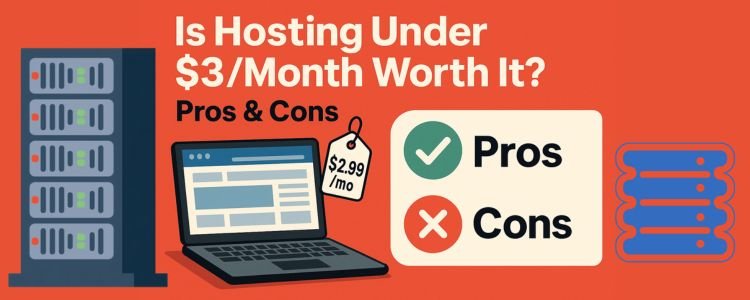
Is Hosting Under $3/Month Worth It? Pros & Cons
Low-cost hosting attracts new business owners for one main reason: the entry price is small. But the real question is whether these plans can support a small business website, local service portfolio, or a beginner-friendly WordPress site.
Pros
- Very low upfront cost — ideal for early-stage businesses.
- Enough resources for simple sites — perfect for a restaurant menu, barber shop booking page, home-cleaning portfolio, or coaching website.
- Beginner-friendly setup — most cheap hosting includes one-click WordPress installation.
- USA-based servers available — faster loading for local customers.
Cons
- Limited resources — RAM, CPU, storage, and bandwidth are lower.
- Support response may be slower during busy hours.
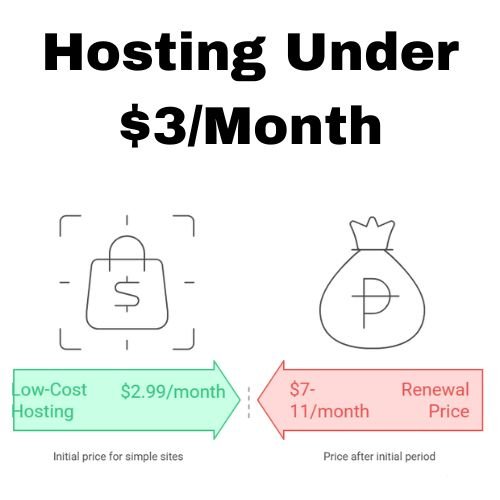
- Aggressive renewal pricing — a $2.99 plan may renew at $7–$11/month.
- Add-ons cost extra — backups, emails, security extras.
If your website is small, simple, and local, these limits rarely matter. But if you plan to run eCommerce, online bookings with high traffic, or heavy image galleries, you may outgrow these plans fast.
What You Can (and Can’t) Expect at This Price
Small business owners need clarity — not jargon — so here are the real expectations.
✅ What You CAN Expect
- A fast-loading WordPress site for basic business use.
- 24/7 support through chat or ticket.
- Good uptime (above 99.9%).
- Email hosting in some plans.
- Free SSL, which protects customer data.
- USA server options for faster local performance.
❌ What You CAN’T Expect
- High-performance resources for large traffic.
- Unlimited everything (storage, CPU, RAM).
- Advanced security tools included by default.
- Guaranteed fast support every time.
- Perfect performance during traffic spikes.
Practical Example
- A local barber shop needing a 4–5 page site will do perfectly fine.
- A small bakery posting daily photos may need more storage later.
- A fitness coach adding video courses will outgrow $3 hosting quickly.
Top Hosting Providers Under $3/Month in the USA
These providers consistently deliver strong value under a $3 monthly budget.
All pricing listed reflects long-term discounts, since ultra-cheap hosting always requires yearly plans.
1. Hostinger — Best Overall for Small Local Businesses
Typical Price: $2.49–$2.99/mo (with 12–48 month plan)
Why It Works: Hostinger offers fast USA servers, great uptime, and simple dashboards. It’s strong for WordPress hosting and works flawlessly for beginners.
Strengths
- Very fast loading for USA customers.
- Easy onboarding — perfect for non-technical users.
- Free SSL included.
- Email hosting included.
- Good for restaurants, barbers, salons, cleaners, coaches, freelancers.
Limitations
- Renewal jumps to ≈$5–$8/month.
- Backups not always included in the cheapest plan.
2. Namecheap — Best for DIY Owners Who Want Low Renewals
Typical Price: $1.88–$2.18/mo
Why It Works: Namecheap has one of the lowest renewal prices and is ideal if you want predictable spending.
Strengths
- Very cheap long-term renewals.
- Free domain privacy.
- Free email for 2 months.
- Simple interface and good documentation.
Limitations
- Performance is good, not great.
- Heavy WordPress sites may feel slower.
Best fit for portfolio sites, small local business pages, low-image websites, coaches, and cleaner businesses that want simplicity.
3. Cloudways (Not Under $3 — But Important Context)
Cloudways does not offer sub-$3 hosting, but it’s important to understand why it appears in small business comparisons.
Why mention it?
- Many owners eventually upgrade once they outgrow shared hosting.
- It offers excellent performance for eCommerce and higher traffic.
Typical Price: Starts at $11–$14/month.
Use Case: Upgrading once your small business grows beyond shared hosting limits.
Cloudways isn’t appropriate for the $3 category, but it helps you understand when an upgrade becomes necessary.
Comparison Table: Limits, Renewal Prices, Hidden Fees
| Hosting Provider | Starting Price | Renewal Price | Websites Allowed | Backups | Server Location Options | Hidden Fees You Should Know | |
|---|---|---|---|---|---|---|---|
| Hostinger | $2.49–$2.99/mo | $5–$8/mo | 1 | Sometimes paid add-on | Included | USA, Europe, Asia | Backups may cost extra; domain not included |
| Namecheap | $1.88–$2.18/mo | $2.98–$3.98/mo | 3 | Weekly backups | 2 months free only | USA, UK | Renewal increases; emails become paid after trial |
| Bluehost (bonus) | $2.95/mo | $9.99/mo | 1 | Included | Included | USA only | Domain renewal higher after year one |
| iPage (bonus) | $1.99/mo | $9.99/mo | 1 | Daily backups (paid) | Included | USA | Add-ons inflate price quickly |
Notes:
- Ultra-cheap hosting always uses long-term plans.
- “Unlimited” marketing claims usually have real limits in CPU/RAM.
- Renewal spikes are the biggest hidden cost for new USA small businesses.
Best Under-$3 Host for Blogs, Portfolios, Local Businesses
Different business types need different strengths. Here’s the most practical breakdown.
Best for Local Brick-and-Mortar Stores — Hostinger
Examples:
- barber shops
- restaurants
- home-cleaning services
- florists
- local coaching services
Why?
You get fast USA servers, WordPress speed boosts, and simple tools. These sites rarely exceed resource limits.
Best for Personal Brands & Portfolios — Namecheap
Examples:
- freelancers
- small coaches
- writers
- photographers (light image sites)
Why?
Low renewal prices, clean interface, predictable costs.
Best for Small Business Owners Who Plan to Grow — Start with Hostinger → Upgrade to Cloudways
Examples:
- businesses posting daily photos
- multi-location restaurants
- online course coaches
- busy local service websites
Why?
Hostinger for the early stage, Cloudways for scalability.
How to Lock In Low Prices Without Getting Trapped
Cheap hosting becomes expensive when owners unknowingly fall into renewal traps.
Here’s the strategic approach that protects your budget.
1. Choose the Longest Term (But Only If You’re Sure)
A three-year plan locks in $2.49–$2.99/mo.
If you choose one year, renewals hit you immediately.
Smart Rule:
If the business will operate long-term, go for 24–48 months.
2. Always Check Renewal Prices BEFORE Buying
Look at the renewal column on the checkout page — it’s usually small text.
Example:
A restaurant owner buys $2.99/mo hosting → next year, the bill becomes $7.99/mo.
Plan for this upfront.
3. Skip Add-Ons You Don’t Need
Cheap hosting companies make profit by upselling.
Avoid buying:
- SEO tools
- premium backups
- unnecessary security suites
- professional email (use free trials or Google Workspace only if needed)
4. Use USA Servers for USA Customers
This improves:
- loading speed
- local SEO
- user experience
Never pick European servers unless your audience lives there.
5. Don’t Host Too Many Large Images
Small business sites often fail due to oversized images.
Use an image compression plugin to avoid slow speeds and CPU overages.
When to Upgrade from Ultra-Cheap Hosting
$3 hosting works beautifully in the early stage — but here’s when you must upgrade.
1. Your Website Gets 5,000+ Monthly Visitors
Shared hosting slows down once traffic grows.
If a café begins posting daily menu images and getting traffic from Google Maps, upgrade.
2. You Need Faster Support
If response time becomes a problem during business hours, upgrade to a mid-tier plan with priority support.
3. You Start Adding Advanced Features
Examples that require more power:
- eCommerce
- online booking systems
- membership areas
- multi-location pages
- heavy image galleries
When these appear, move to Cloudways or a VPS.
4. Your Local Business Expands
A barber expanding to three locations or a cleaning business serving multiple towns needs better hosting stability.
This is when managed hosting becomes worth it.
Final: Choose the Best Under-$3 Host and Launch Your Website
Cheap hosting isn’t perfect, but it’s an excellent starting point for USA small businesses that simply need a fast, reliable online presence. Hostinger works best for most owners, while Namecheap is ideal for those who want predictable renewals. As your business grows, Cloudways becomes the natural upgrade.
You don’t need complex features right now — you just need a clean, fast, trustworthy website for customers to find you.
Pick a host, lock in the low rate, and launch your business website today.